A gaming mouse and keyboard are the two parts of a PC setup you touch all the time, so comfort comes first. The best mouse is one that fits your hand and grip, with a reliable sensor. The best keyboard is one whose keys feel right to you, in a size that leaves room for your mouse, with the layout you are used to.
Spec sheets lead with big numbers: maximum DPI, polling rates, millions of colours. Most of those matter far less than shape, weight and switch type. A mid-priced mouse from a known brand will have a sensor that is more than accurate enough for almost everyone.
This guide explains what the specifications mean, which ones are worth paying attention to, and what to check on a UK shop listing before you order.
Gaming mouse: the specifications explained
| Spec | What it means | What to look for |
|---|---|---|
| DPI or CPI | How far the cursor moves per inch of mouse movement | An adjustable range; the maximum figure matters little |
| Polling rate | How often the mouse reports its position to the PC | 1000 Hz, meaning once every millisecond, is the usual gaming standard |
| Weight | Total mass, sometimes adjustable with weights | Lighter for fast games, heavier if you prefer a steadier feel |
| Connection | Cable, 2.4 GHz wireless dongle or Bluetooth | 2.4 GHz wireless or cable for gaming |
| Buttons | Extra side buttons and DPI switch | Enough for your games, placed where your thumb reaches |
DPI is sensitivity, not quality. Many players use a setting far below the maximum printed on the box and turn their arm rather than flick their wrist. What counts is that the sensor tracks consistently without jumps or acceleration. Established brands such as those in the Logitech and SteelSeries ranges use well tested sensors.
Shape, grip and weight
How you hold the mouse decides which shapes suit you:
- Palm grip: your whole hand rests on the mouse. Larger, higher backed mice feel best.
- Claw grip: your palm touches the back and your fingers arch. Medium mice with a pronounced rear hump work well.
- Fingertip grip: only your fingertips touch. Small, light mice are easiest to control.
Measure your hand from the wrist crease to the tip of your middle finger and compare it with the mouse length on the listing. Left handed players should look for symmetrical shapes, and check that the side buttons are on both sides or can be switched off.
Lightweight mice, often with honeycomb shells, have become popular for fast shooters because they are easy to stop and start. If you mostly play strategy games or use the mouse for work too, weight matters much less than comfort.
Wired or wireless?
Modern 2.4 GHz wireless gaming mice use a USB receiver and are fast enough for competitive play. Bluetooth uses less power and connects without a dongle, but it adds latency, so it suits work use and travel better than gaming. Many wireless mice offer both. Check battery life, whether it charges over USB-C, and whether you can play while it charges. A wired mouse never needs charging and is usually lighter for the price, and a mouse bungee keeps the cable from dragging.
Gaming keyboard: switches, size and layout
Switches
Most gaming keyboards use mechanical switches, though some use membrane or low profile scissor switches like those in laptops. Mechanical switches come in three main types:
- Linear: smooth all the way down, no bump. Popular for fast repeated presses.
- Tactile: a small bump you can feel when the key registers. A good middle ground for gaming and typing.
- Clicky: a bump and an audible click. Satisfying to type on, but loud on voice chat and in shared rooms.
If you can, try a switch tester or a keyboard in a shop. Hot swappable keyboards let you change switches later without soldering.
Size
- Full size: includes the number pad. Useful for spreadsheets and some simulators.
- Tenkeyless (TKL): no number pad, more room for the mouse.
- 75% and 65%: compact, keep the arrow keys.
- 60%: smallest, arrow and function keys on a second layer. Good for travel and small desks, less convenient for work.
UK or US layout
A UK keyboard has 105 keys on a full size board, with a tall Enter key, the £ symbol on the 3 key and an extra key next to the left Shift. US keyboards have a short, wide Enter key and different positions for @ and “. Many gaming keyboards are sold in several layouts, and some listings on UK shops are Nordic or US versions. Check the layout in the product name or description before you order, especially if you also type a lot.
Other features
Look for anti ghosting or n key rollover, which means several keys pressed at once all register. A detachable cable, a wrist rest and per key lighting are pleasant extras, but they are not essential.
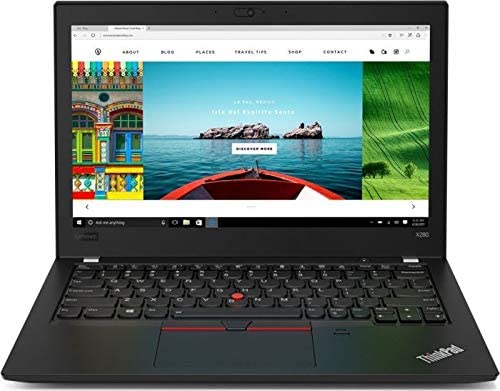
You can compare models in keyboards, mice and input devices and in the esport gaming gear range, and gaming headsets are in headphones and headsets. If you are choosing a laptop to game or work on, read buying a refurbished laptop first.
Quick checklist
- Mouse shape and size match your hand and grip.
- Sensor from an established brand, adjustable DPI.
- 1000 Hz polling rate, 2.4 GHz wireless or wired.
- Battery life and charging port checked for wireless models.
- Switch type chosen: linear, tactile or clicky.
- Keyboard size leaves room for the mouse.
- UK layout confirmed in the listing.
- Anti ghosting or n key rollover.
Common questions
Is a higher DPI better?
No. A higher maximum DPI only means the mouse can go faster than most people ever use. Choose a comfortable setting and adjust in game sensitivity instead.
Are mechanical keyboards worth it for typing too?
Many people find them more pleasant and durable for typing. Tactile switches suit mixed typing and gaming, and quieter linear switches suit shared spaces.
Do I need a mouse mat?
A good mat gives the sensor a consistent surface and makes movement smoother. Cloth mats give more control, hard mats more speed. Choose one big enough for your arm movements.